



330.33 €
(tax incl.)
273.00 €
(without tax)
16 bit SDR receiver with LAN and lots of possibilities
select the delivery location, based on the selection, the sales prices and delivery costs will be recalculated


In this article, we will walk you through the installation and launch of all skimmer servers, including the option to listen on HDSDR. We will take advantage of the possibility of listening on up to 8 bands with a bandwidth of 192 kHz. We will demonstrate the possibility of sharing IQ data using CWSL, including the possibility of classic listening using HDSDR in the SDR range with any modulation.
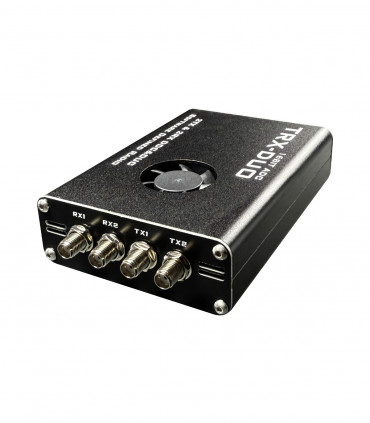
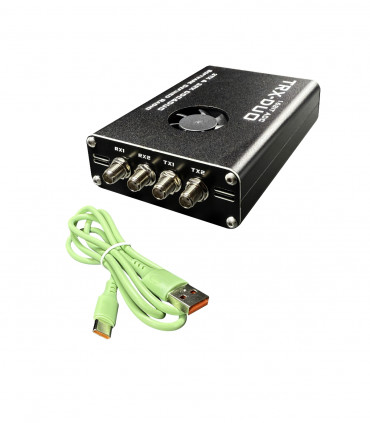
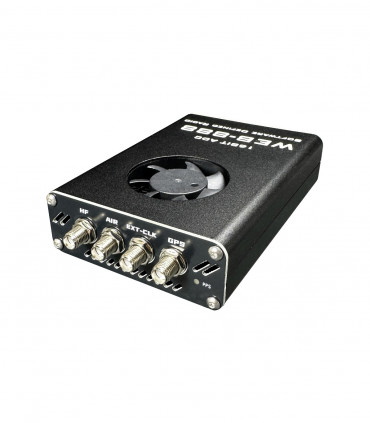
Either TRX-DUO or WEB-888 receivers are used as source receivers. Both are 16-bit receivers, and in the case of TRX-DUO, there are even two receivers.
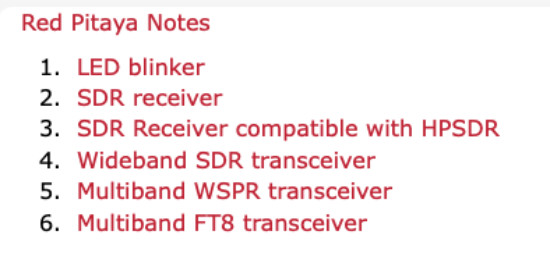
Thanks to the work of Pavel Demin, firmware similar to SDR Red Pitaya is now available for these SDR. This firmware allows to run several applications, including multiband receiver compatible with HPSDR.
SD cards
PC and networking
CW skimmer sever
RTTY skimmer server
SDR connetor - SMEM
CWSL SDR utility
CWSL DIGI - FT4, FT8, WSPR skimmers to CW and RTTY at PC
How to use data from skimmers
Installation step by step
Start BAT file
Tip: antenna sharing
Very important
At first you have to insert right SD card with image. Please, read note about SD card before buying some.
You can also buy ready-to-use SD card at our eshop.
Or you can install it. There is last firmware for:
WEB-888 https://github.com/RaspSDR/red-pitaya-notes
TRX-DUO https://github.com/fventuri/red-pitaya-notes/releases
A relatively powerful PC is required to run all skimmer servers. Most of today's PCs can be used without any problems. The RTTY skimmer places the greatest load on the system during contests. I recommend Interl I7 or new AMD processors.
Don't forget about LAN network load! Eight receivers with a bandwidth of 192 kHz require more than 100 Mbit. The LAN connection between the SDR and the PC must be 1 Gbit LAN.
The CW skimmer server in this guide serves as a configuration application for SDR - setting the number of SDR channels, bandwidth, and center frequency. Furthermore, the CW SKIMMER SERVER program by Alex, downloadable here: https://www.dxatlas.com/SkimServer/
The RTTY skimmer allows you to decode RTTY signals. In this configuration, it uses the bands set on the CW skimmer server. Data from the SDR is shared using CWSL. RTTY SKIMMER SERVER program by Alex, downloadable here: https://www.dxatlas.com/RttySkimServ/
The connector is an intermediary between the SDR and the programs. It mediates the transfer of IQ data from the SDR. You can run up to 8 receivers at the same time.
Connector software and DLL file. It offers calibration, RF input port number, etc. More information can be found on the project website: https://www.rx-888.com/web/redpitaya/sdr-receiver.html Download last SMEM software there: https://github.com/pavel-demin/sdr-smem/releases
CWSL is a set of tools that allows further use of data from an SDR receiver connected to a Skimmer server. You can share up to 8 band receivers! This utility is best described in the following image. You can find out more on the project website: https://github.com/HrochL/CWSL
Information from the project website:
CWSL_File for storing data into Winrad-like wav files for later use
Extio_CWSL for use it in real time by Winrad
CWSL_Wave for sending it into sound card - typically into Virtual Audio Cable for using this IQ data into another SDR software
CWSL_Net as CWSL CLI based IQ server for the ghpsdr3-alex project
CWSL_USBWave for CLI based SSB demodulator from Alex W2AXR. He use it to feed Upper Sideband signals from a QS1R to WSJT-X. Thanks Alex!
If you are already running a powerful PC with CW, perhaps an RTTY skimmer, you can also add a DIGI skimmer. This allows you to decode FT4, FT8, WSPR, JT65, JS8, Q65 and more. This is possible thanks to CWSL_DIGI from W2AXR. More information on the project web: https://github.com/alexranaldi/CWSL_DIGI?tab=readme-ov-file
You can use data from skimmer servers in many ways. Simply upload them to RBN, PSK reporter, etc. But you can also combine them with other DXC for your own use - contesting and spots for band maps. You will get your own spots faster than via classic Telnet servers.
This program uploads spots from skimmers to RBN. The program also filters spots, and you can skip your own CALL to avoid spotting on bad frequencies during SDR overload, etc. For more information, see the program manual. WEB: https://www.reversebeacon.net/pages/Aggregator+34
This is very interesting software which allows you to combine spots not only from your skimmers and works also as telnet server. You can also upload spots to RBN etc. Find more there: https://df7gb.de/skimcon.html
1. Download CW skimmer server
2. Download RTTY skimmer (if you want to run it)
3. Download CWSL (click to Code - Download ZIP)
3.1 Copy SWL-master to C:\ (C:\CWSL-master)
3.2 Continue to install IPP70 and vcredist. Link at CWSL GitHub section: Installation procedure is follows
4. Install CW skimmer server (C:\Program Files\Afreet\SkimSrv)
5. Install RTTY skimmer (C:\Program FIles (x86)\Afreet\RttySkimServ)
6. Download SMEM and unZIP i to : C:\ (C:\SMEM)
7. Copy intf_smem.dll from SMEM to CW skimmer server folder (C:\Program Files\Afreet\SKimSrv)
8. Prepare CWSL:
8.1 Open CW skimmer folder (C:\Program Files\Afreet\SkimSrv)
8.2 Open CWSL folder (C:\CWSL-master\bin)
8.3 UnZIP CWSL.zip
8.4 Copy files: CWSL_Tee.cfg and CWSL_Tee.dll to CW skimmer folder (C:\Program Files\Afreet\SkimSrv)
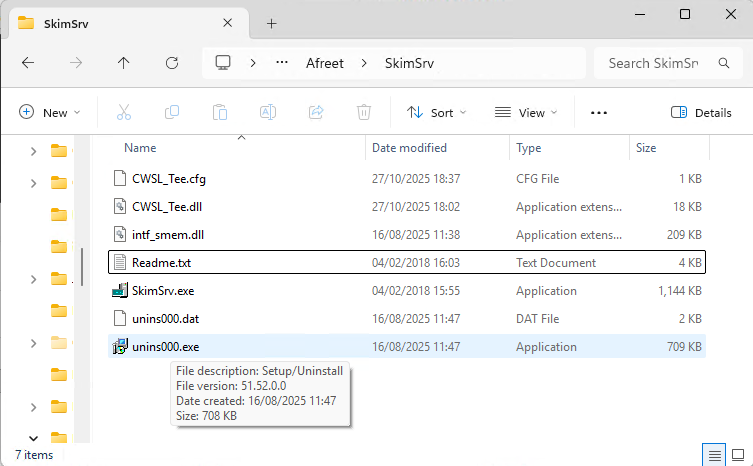
8.5 Folder should looks like:
8.6 I recommend to remove al rest DLL files
8.7 Open CWSL_Tee.cfg with Notepad and change configuration to:
intf_smem.dll
64
8.8 Save file. Please check the filename. It must ends with .cfg. If notepad added .txt, you have to remove it.
9. Configure RTTY skimmer
9.1 Open RTTY skimmer folder (C:\Program Files (x86)\Afreet\RttySkimServ)
9.2 Open CW skimmer server (C:\Program Files\Afreet\SkimSrv)
9.3 Copy CWSL_Tee.cfg and intf_smem.dll from CW skimmer to RTTY on
9.4 Run RTTY skimmer and click to Edit settings
9.5 Change: [User], [SDR] - Rate=2, [Telnet] - Port=7301, [Skimmer] - DX or contest (CQWW etc.)
9.6 Set frequency - you must follow settings in CW skimmer. You can not use different bands. You can use only some bands, not all. You have to change this. Replace by this:
CenterFreqs192=1891000,3591000,7091000,10191000,14091000,18159000,21091000,24981000,28091000,50091000
9.7 Set which bands you like to use:
SegmentSel192=0111111110
9.8 Set frequencies, where will RTTY skimmer works. There is very important note - remove FT8 frequencies. This will reduce CPU load. And you can use normal or contest segments. Just change ; before it.
For example change 3550000-3600000 to 3550000-3572000, 35780000-3600000 It means, there is no decodinf between 3572 to 3578 kHz
;normal
RttySegments=1800000-1820000,3580000-3600000,7025000-7060000,7080000-7100000,10130000-10150000,14080000-14120000,18100000-18110000,21080000-21100000,24910000-24930000,28080000-28100000,50250000-54000000;contest
;RttySegments=1800000-1820000,3550000-3600000,7020000-7100000,10130000-10150000,14060000-14140000,18100000-18115000,21060000-21150000,24910000-24930000,28060000-28150000,50250000-54000000
9.9 Save the ini file. Terminate program (RTTY skimmer).
10. DIGI skimmer - if you like to use FT4, FT8, JT9, SWPR etc., download CWSL_DIGI
10.1 UnZIP file and rename to C:\CWSL_DIGI
10.2 Create folder: wave (C:\CWSL_DIGI\wave)
10.3 Click right to CWSL_DIGI.exe and change Propeties-Compatibility-Run this program as Administrator
10.4 Install the latest Microsoft Visual Studio 2022 redistributable. This may not be required if your computer is up to date https://aka.ms/vs/17/release/vc_redist.x64.exe
10.5 Install the Intel Fortran redistributable. This may not be required if your computer is up to date. https://drive.google.com/drive/folders/1pk99ruANXTd_87oLce2L32H2V-P6dAFn?usp=drive_link
10.6 Download and install WSJTX (https://sourceforge.net/projects/wsjt/)
10.7 Configure CWSL_DIGI: config.ini
10.8 You have o configure: operator, locator, select mode and band where you like to decode (must be the same bands as configured in CW skimmer), [reporting] - enable PSK reporter (true). You can use also localhost as digi spots for your local use
11. Connect SDR to LAN and switch it ON. You have to find its IP address. Then open web browser and open this IP. You should see something like:
12. Click to: SDR receiver
13. Run SMEM: tcp_smem.exe
14. Run CW skimmer server: SkimSrv.exe
15. Configure CW skimmer: Skimmer - select CWSL Tee on SMEM, Segment BW to 192 kHz, Select segments you like to use - up to 8 segments. In Telnet leave 7300, Operator - fill operator notes. Press Apply
16. SMEM: fill right IP address of SDR and press Connect. When everything is OK, you should see BW and segments.
17. SMEM RX: IN1 and IN2. This means ANT input. WEB-888 is always IN1, TRX-DUO could you two RX so you can use IN1 and IN2 as you like (interferences, BPF, HF/6m etc.)
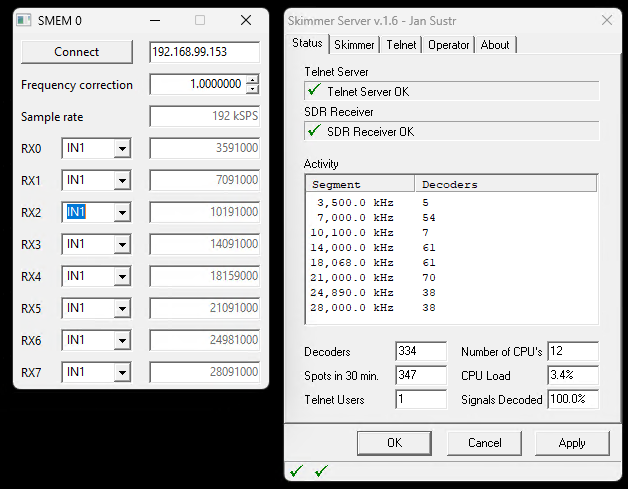
18. Now it should looks like:
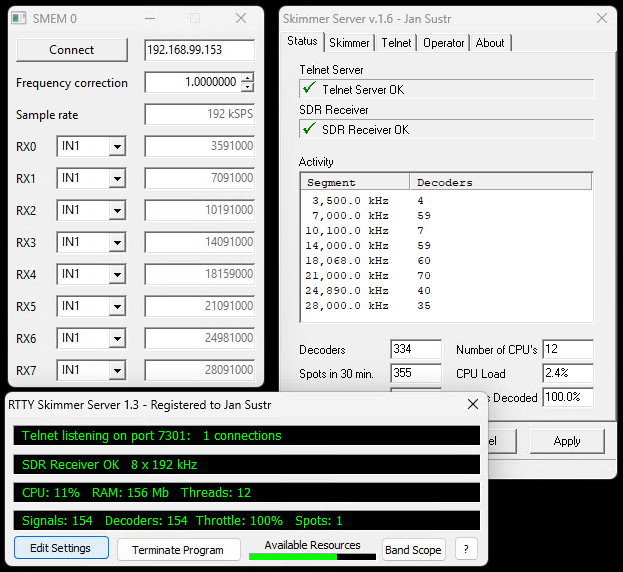
19. Now you can run RTTY skimmer. When the configuration is right, it should work too.
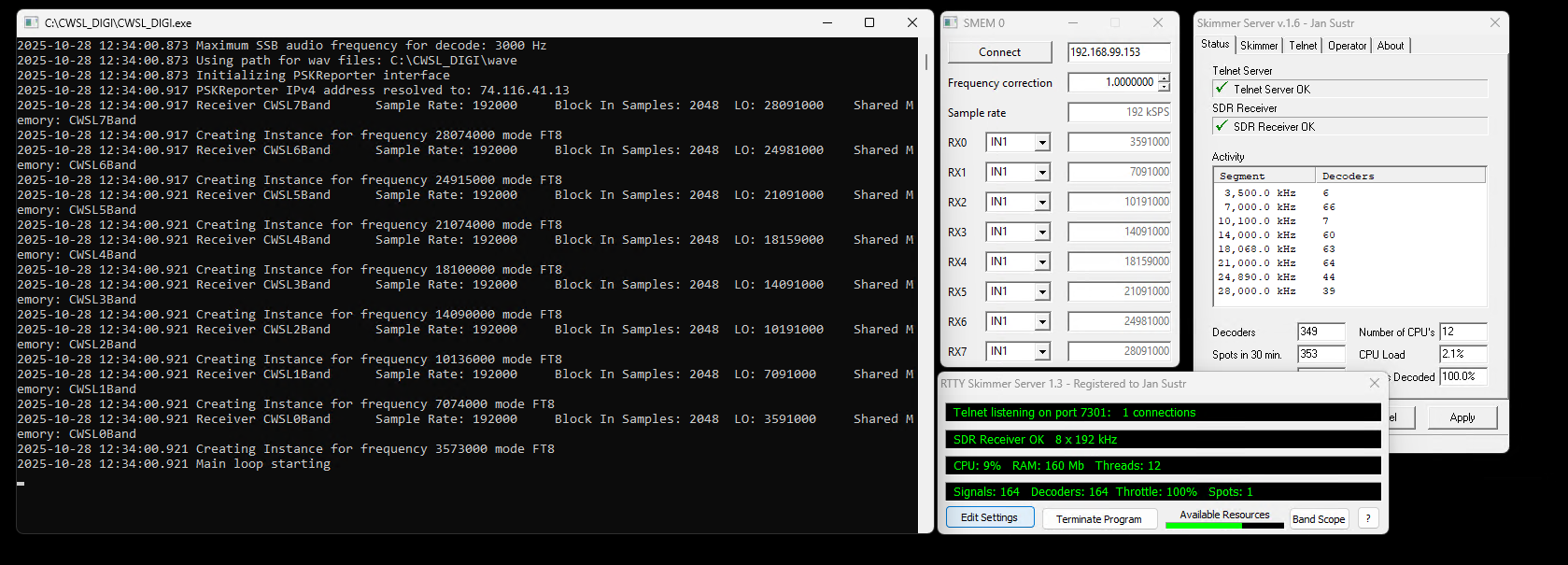
20. Now you can start CWSL_DIGI
21. All works? Wau, great :) Now you need to use the spots somehow. CWSL_DIGI can directly upload spots to PSK reporter. CW and RTTY are at local telnet ports. You can use it for your own DX cluster program or send it to RBN.
22. Sending spots to RBN
22.1 Download RBN Aggregator https://reversebeacon.net/pages/Aggregator+34
22.2 Configure Connection - port 7300 is CW skimmer
22.3 Configure Secondary skimmers - port 7301 is RTTY skimmer
22.4 There are more configuration options, please see manual for Aggregator.
23. Adding HDSDR option - you can listen and tune in full range of SDR! At any mode!
23.1 HDSDR will use on RX chain, so configure CW skimmer to only 7 receivers and leave one free. You can use this RX chain for HDSDR, rest 7 receivers work for skimmers
23.2 Copy exit_smem.dll from SMEM to HDSDR folder (C:\Program Files (x86)\HDSDR)
23.3 Run HDSDR and click to SDR-Device F8 and select the RX chain you left free for HDSDR
23.4 Now you can tune with HDSDR as you like :)
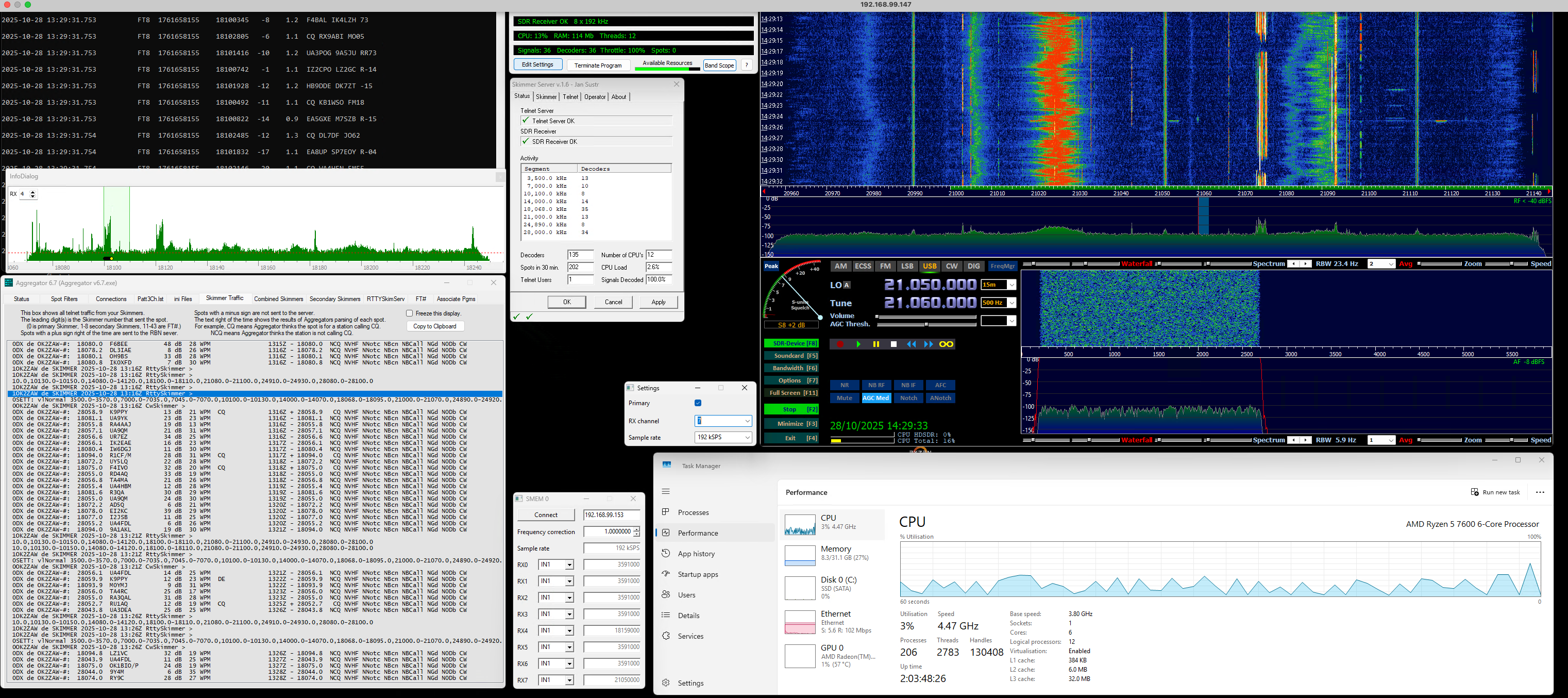
24. There you can see: CWSL_DIGI, Aggregator, RTTY skimmer + spectrum, CW skimmer, SMEM and HDSDR
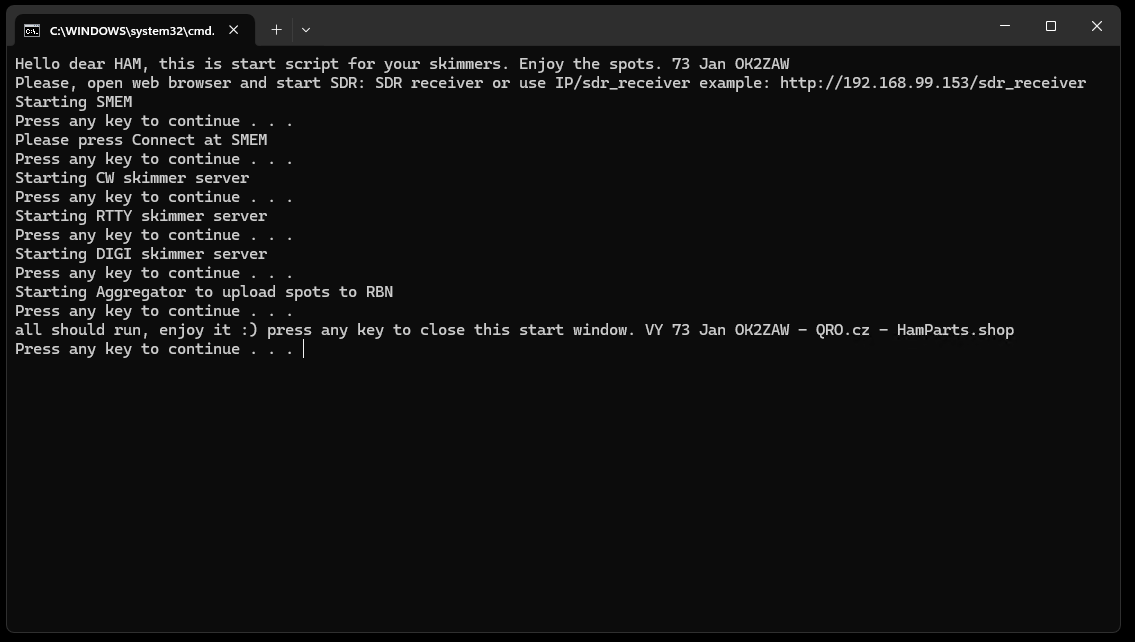
Running individual programs is quite complicated... correct order, paths, etc. To simplify things, I created a single .BAT file that will guide you through running individual programs. For everything to work, the paths and program names must match. The BAT file can be edited as needed.
Download this file: skimmers.bat
Please, make folder: C:\Aggregator
Save and rename Aggregator to this file: Aggregator_v6.7.exe
Set Auto connect to the skimmers.
Run skimmers.bat and follow instructions.
If you would like to run a skimmer server or WEB-SDR 24/7, we have a device that is designed specifically for this purpose. It is a device that includes several levels of protection, the option of adding a preamplifier, and when the main RX/TRX is turned on, it splits the signal from the antenna for SDR as well.
It is RX Audite
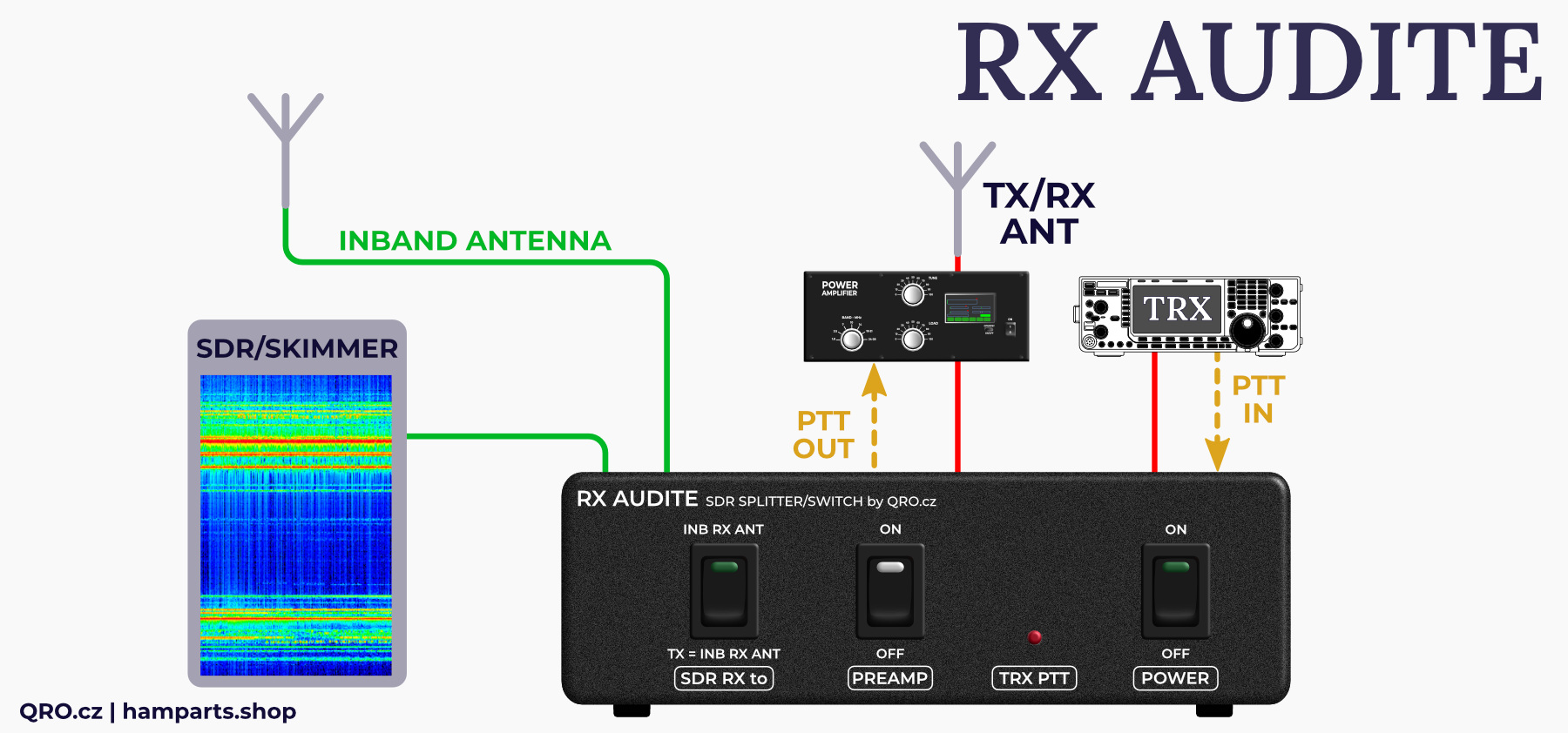
Please note two important things:
1. Be careful not to overload the SDR and ADC inputs with a strong signal, such as your own transmitter. This can destroy the ADC and degrade the SDR. A new 16-bit ADC costs almost as much as a full SDR.
We recommended and RF limit as protection. Several can be found directly in our offer. Others are already part of our more complex devices.
2. SDR cooling The box does include a fan, but when using the SDR 24/7 or as a stand-alone skimmer, the CPU and converter get hot. Poor cooling leads to their destruction or reduced lifetime!
Therefore, please ensure sufficient cooling and check the fan regularly to prevent it from cooling due to dust.
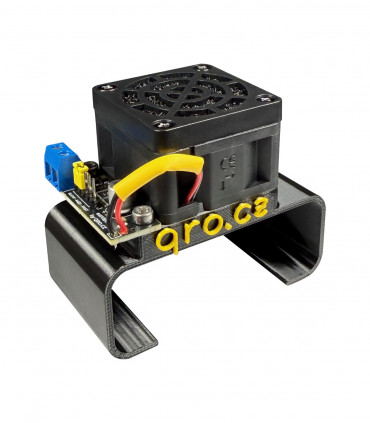
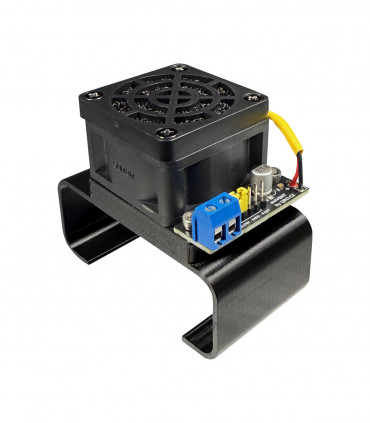
You can use additional external fan (with dust filter and three fan speeds) for SDR WEB-888 and TRX-DUO.
⚠ There is no warranty for damaged ADC and fan!
Please sign in first.
Sign inCreate a free account to save loved items.
Sign inCreate a free account to use wishlists.
Sign in